

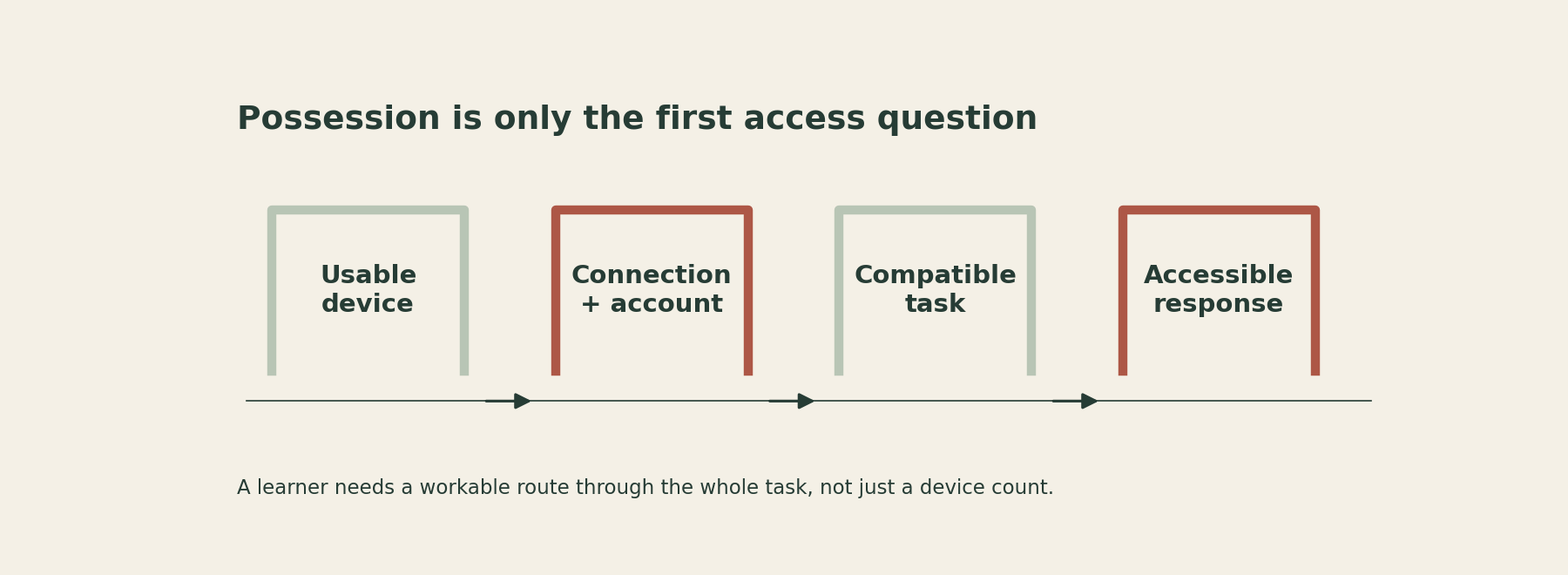
A bring-your-own-device activity can look straightforward from the front of the room: open the link, read the sources, annotate the evidence and upload a response. For a learner, each verb may depend on an assumption the plan has not checked.
The device may be shared, unavailable at the required time, unable to run the tool or difficult to use for the response. The connection may be unreliable. The activity may require an account the learner cannot or should not create. A phone in a pocket does not settle those questions.
The useful design test is whether every learner has a workable route through the whole task, including an appropriate alternative. That route should preserve the learning goal rather than offer a lesser task to anyone whose technology does not cooperate.
Broaden the access question
The 2024 U.S. National Educational Technology Plan treats digital access as more than devices and connectivity, including accessible content and related conditions for participation. It also distinguishes access from the design and use of technology for learning. This is a historical policy framework, not evidence that a particular device programme works or a statement of current legal requirements. Read the plan.
For an educator, the practical implication is to audit the learning activity rather than asking only who owns a device. The audit should include the format, account route, response method and support available when something fails.
Do not make learners disclose financial or personal circumstances publicly to establish that they need another route. A discreet way to identify access needs is part of a usable plan.
Trace one apparently simple assignment
Consider an original illustrative history task. Learners compare two short accounts of an event, highlight evidence and submit a paragraph explaining why the accounts differ. The target is evidence-based interpretation, not mastery of a particular annotation app.
The proposed digital route assumes that both sources display clearly on a small screen, that learners can switch between them, that the app accepts their account, that highlighting works with their input method and that the finished response can be exported and uploaded.
A learner may complete the analysis but lose the annotation during export. Another may read the sources but find the on-screen keyboard too limiting for the required response. Another may have access to a device only after a sibling finishes using it. These are possible planning scenarios, not claims about a particular class.
None of those situations establishes weak historical understanding. If the teacher only sees a missing upload, a technical barrier can be mistaken for an academic one.
Audit the activity from the learner’s side
Test the entire route using the kinds of devices and accounts learners are expected to use. Opening the first page on the teacher's laptop is not an end-to-end test. Try reading, navigating, responding, saving and reopening the result.
Hidden assumption: The device is available when needed
What to check: Timing and shared use
A possible alternative: Planned access to an institutional device
Hidden assumption: The connection supports the activity
What to check: File size, streaming and offline needs
A possible alternative: Downloadable or printed accessible sources
Hidden assumption: The tool works on the device
What to check: Browser, input and export compatibility
A possible alternative: A simpler approved format
Hidden assumption: The learner can create the account
What to check: Institutional rules and approved access
A possible alternative: Existing institutional access or no-account route
Hidden assumption: The response method is usable
What to check: Accessibility and individual supports
A possible alternative: An appropriate written, spoken or supported response
Hidden assumption: The completed work can be recovered
What to check: Save, export and submission process
A possible alternative: A clearly defined alternative handoff
This table is an original planning aid, not a technical certification or legal checklist. Follow institutional technology, accessibility and data-handling requirements. Where a requirement is unclear, resolve it with the responsible team rather than inventing a workaround that exposes learner information.
Ask which technology features are essential to the learning goal. If the task is about comparing evidence, a particular app's highlighting animation is unlikely to be essential. If the goal is learning a specific professional tool, access to that tool may genuinely be part of the requirement, which creates a stronger obligation to provide it appropriately.
Design the alternative before it is needed
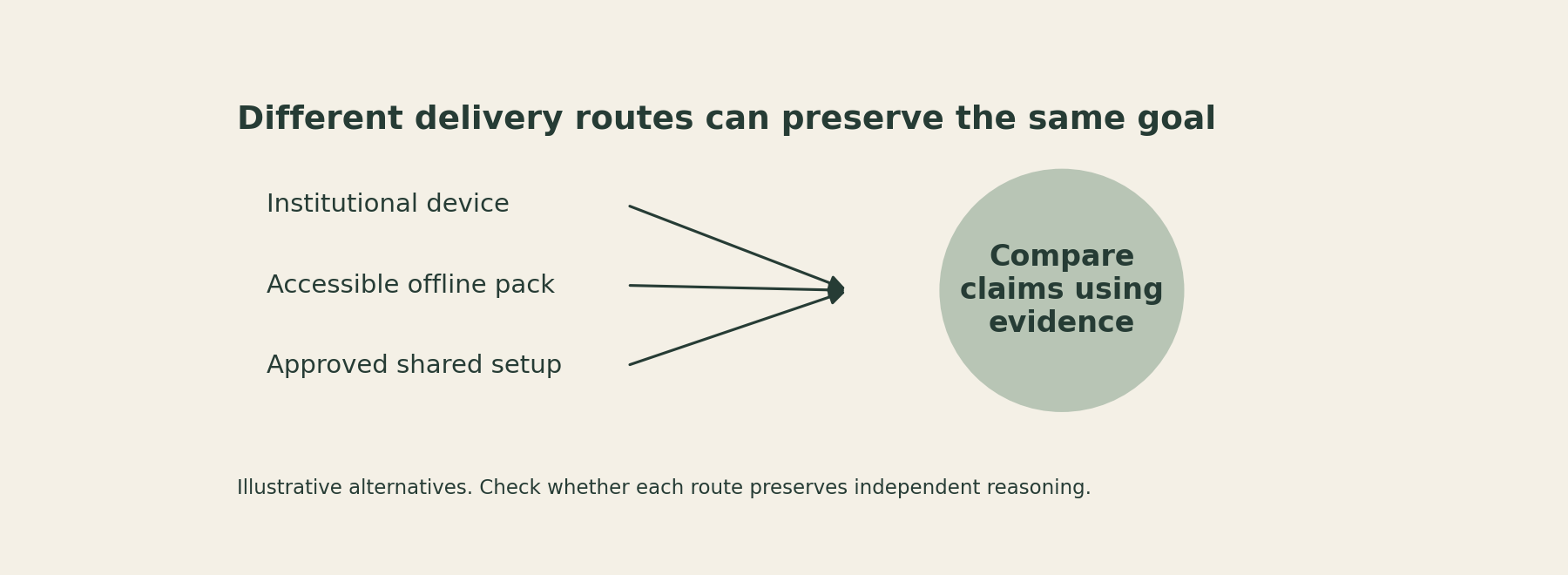
An alternative should allow the same important reasoning to be seen. For the history task, an accessible offline source pack with a structured evidence response may preserve the goal. A learner should not receive unrelated busywork while others analyse the sources.
A shared device can sometimes help, but inspect who does the thinking and who operates the screen. If one learner controls the account and submits the group response, another learner's understanding may remain invisible. Add an individual explanation where the goal requires individual evidence.
An institutional device can reduce dependence on personal equipment, but it still needs a usable account, compatible resource and support route. Changing ownership does not automatically solve every access problem.
Tell learners in advance how to use the alternative. A route that exists only after an embarrassing public failure is less useful than one that is clearly available from the start.
Also consider work beyond the room. A task that is accessible during a supervised lesson may become inaccessible when the unfinished portion is moved home. Check the conditions of the whole assignment, not only its first ten minutes.
Keep privacy assumptions visible
Some activities quietly require learners to create personal profiles, accept unfamiliar terms, upload identifiable work or use a public sharing setting. Those are design decisions, not incidental clicks.
Use institutionally approved tools and access arrangements. Collect only what the learning task requires, and avoid asking learners to expose personal information to prove participation. This article does not determine which service is permitted in a particular jurisdiction or organisation.
If an activity depends on an unapproved account or an unsuitable sharing route, pause that route and redesign it with the responsible team. The convenience of a link is not a reason to bypass the institution's safeguards.
The same principle applies to troubleshooting. Do not request personal passwords or ask learners to share private account access with a partner. Support should restore a legitimate route, not create a new risk.
Judge the learning without hiding the barrier
When a submission is missing or incomplete, distinguish the academic task from the access process. Ask where the route broke before deciding what the learner knows. A short conversation or an alternative response may reveal work that the upload process concealed.
After the activity, record which design assumption failed and what would prevent the problem next time. Keep that record about the resource and process, without unnecessary personal detail.
For the next device-dependent task, complete one end-to-end test and name one equivalent alternative before learners begin. If you cannot provide a workable route, revise the activity rather than treating exclusion as an individual inconvenience.
Equitable participation is not established by a room full of screens. It is established by whether learners can reach the intended work, do it meaningfully and show what they understand.
Sources
U.S. Department of Education (2024), National Educational Technology Plan. January 2024 framework addressing digital access, design and use divides.
