
Calling a learner a digital native can sound like a compliment. In practice, it can become a reason to skip instruction: surely someone who uses a phone every day can navigate the platform, judge an online source and submit the right file.
Those are separate capabilities. Familiarity with one interface does not establish competence with another task, and possession of a device does not establish usable access to a learning environment.
A better starting point is modest and concrete: what does this learning task require the person to do with technology, and what evidence shows they can do it? That question works for adolescents, university students and adults without making a generation the unit of diagnosis.
Use a framework without turning it into a stereotype
The January 2024 U.S. National Educational Technology Plan distinguishes digital access, design and use divides. Its scope includes more than device provision: it addresses usable access, educators' conditions for designing learning and the quality of learners' technology use. It is a policy framework, not an experiment proving the ability of any age group. Read the 2024 plan.
For planning, the distinction is useful because it prevents a working device from becoming the whole readiness check. A learner can have access while receiving poorly designed digital work. A teacher can design a thoughtful task that some learners cannot reach. Neither problem is solved by calling the class tech-savvy.
The framework is also historical. Use it for the distinctions it offers, not as an assertion about current rules or funding requirements.
Separate the skills hidden inside one assignment
Imagine an illustrative history task: open two sources, compare their accounts, write a supported claim and submit the response. The assignment appears simple on the lesson plan. Digitally, it contains several dependencies.
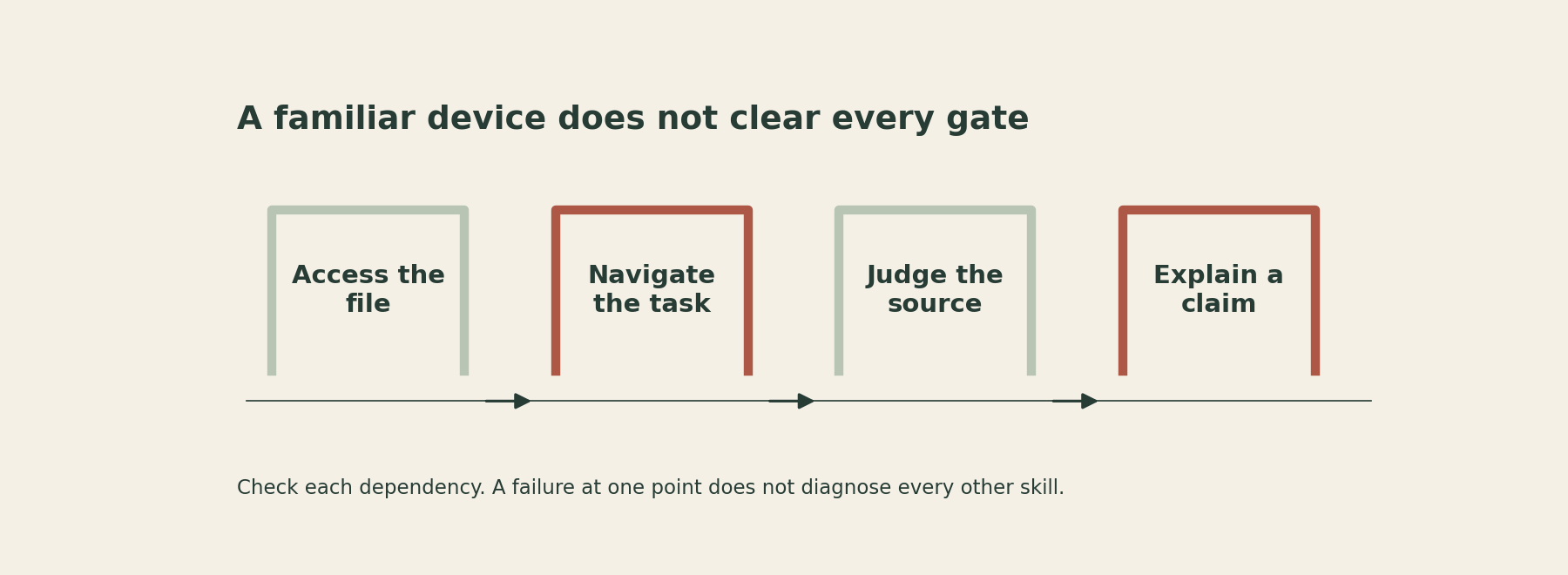
The learner needs a usable device and connection, the correct account permissions, a way to navigate between sources, enough knowledge to judge what each source is, a response method and a reliable submission route. Difficulty at any one point can prevent the teacher from seeing the historical reasoning.
A learner who cannot locate the download may understand the sources perfectly. A learner who submits a polished file may have copied an unsupported claim. A learner who searches quickly may still choose the first plausible result without inspecting its origin.
Treat these as different observations. “Needs help with technology” is too broad to guide instruction. “Can open the shared source but does not know how to return to the response document” tells you what to model next.
Use a short authentic diagnostic
Before the main task, offer a brief practice using non-sensitive sample material. Ask learners to open a source, identify its author or organisation, locate the date, explain one reason it is relevant and save a short response in the expected location.
Do not turn the diagnostic into a speed contest. Watch the route taken and invite learners to describe where they are uncertain. Provide accessible alternatives and the supports they are entitled to use. The purpose is to discover barriers, not to reward those who already know the interface.
Observed difficulty: Cannot open the source
What it may concern: Access or permissions
First response to try: Check account, format and an alternative route
Observed difficulty: Opens many tabs but loses the task
What it may concern: Navigation and task organisation
First response to try: Model a simple route between source and response
Observed difficulty: Chooses a source by appearance
What it may concern: Source judgment
First response to try: Compare authorship, evidence and purpose
Observed difficulty: Writes an answer but loses the file
What it may concern: File management
First response to try: Practise naming, saving and finding a sample
Observed difficulty: Submits successfully without support for the claim
What it may concern: Disciplinary reasoning
First response to try: Model how evidence supports an interpretation
The table is an original planning aid, not a validated assessment. A single observation may have several explanations. A broken link, unclear instruction or unfamiliar term can look like a learner skill gap. Check the resource before assigning the problem to the person.
Keep the diagnostic tied to the upcoming work. There is little value in testing obscure software features that the learning task does not require.
Teach the missing move explicitly
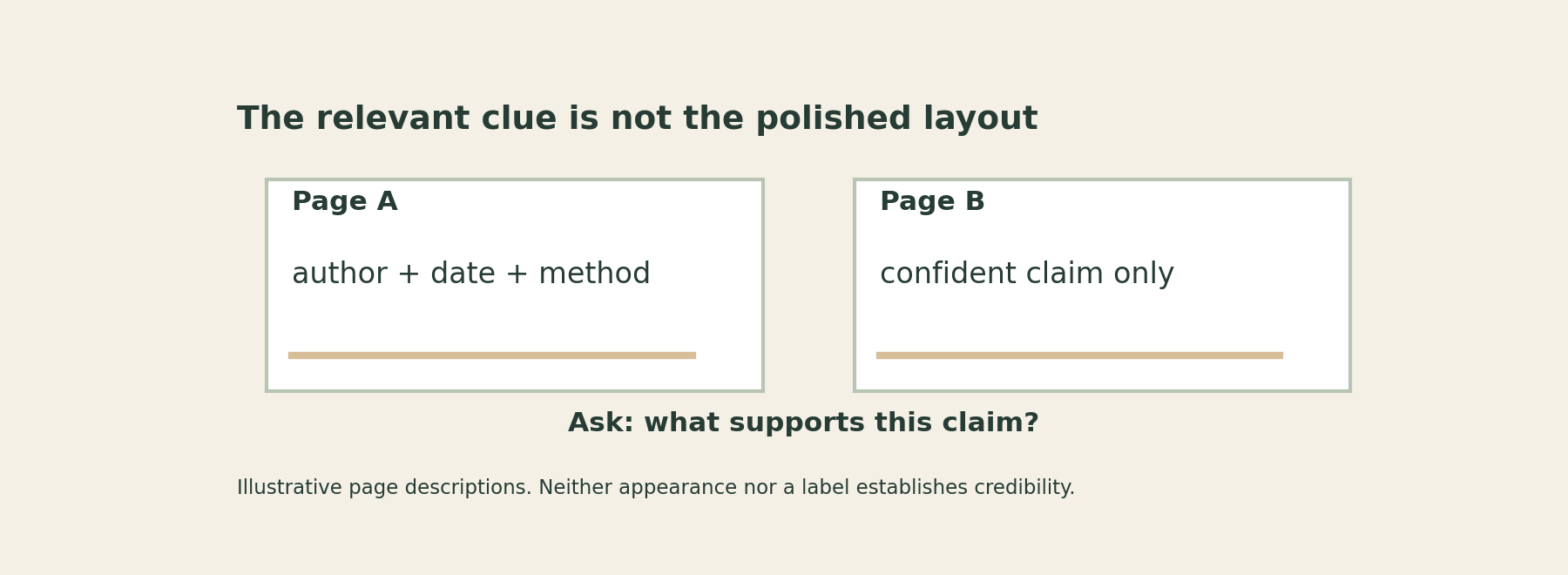
If source judgment is the issue, place two short source descriptions side by side. One identifies an author, date and method. The other makes a confident claim without showing its basis. Ask what each allows the reader to verify and what remains uncertain.
Do not teach a cosmetic shortcut such as “professional design means trustworthy.” Nor does the presence of an author automatically settle reliability. The learner needs to connect the source to the question: who is making this claim, what support is provided and what could be checked elsewhere?
If navigation is the issue, demonstrate the actual route using a sample account or non-sensitive material. Show how to recover after closing the wrong tab or saving in the wrong place. Recovery is part of usable skill, not an embarrassing exception to the demonstration.
If file management is the issue, have learners save, close and reopen a harmless practice response. Successfully pressing save while the document remains on screen does not yet show they can find it later.
Teach only what is needed now, then add complexity when the next task requires it. A long tour of every platform feature can obscure the small operation learners need for today's work.
Inspect the design as well as the learner
A task may impose digital complexity that serves no learning purpose. Requiring three platforms to compare two paragraphs creates avoidable navigation demands unless the platform use is itself part of the goal.
Ask whether an integrated document, a clear source list or a consistent submission location would preserve the intellectual work with fewer transitions. This is not a call to eliminate all difficulty. It is a call to distinguish difficulty in the target reasoning from difficulty caused by the delivery system.
Likewise, do not confuse a completed digital worksheet with active use of technology. The interesting question is what the learner analyses, creates, explains or revises, not how many times the screen changes.
Replace the label with a useful record
After the diagnostic, keep a small note about the task and support needed: “Can compare the sources; needs a model for attaching the saved file.” This is more actionable than “not a digital native” and less likely to become a fixed identity.
Recheck when the task or platform changes. Competence is not a permanent badge awarded after one successful upload.
For the next digital assignment, list its hidden dependencies and test the first few minutes as a learner would experience them. Then teach the missing moves and remove unnecessary obstacles. Familiarity is a starting point. Readiness for this particular learning task is the thing worth establishing.
Sources
U.S. Department of Education (2024), National Educational Technology Plan. A Call to Action for Closing the Digital Access, Design, and Use Divides, January 2024.
