‘We need a refresher course’ is a familiar response to a recurring mistake. It sounds concrete. Someone can commission slides, assign a deadline, and put a completion report in a meeting.
The mistake may still be there afterward.
Before building training, I would ask what is preventing the work from happening correctly. The answer might include a knowledge gap. It might also include a missing permission, contradictory instructions, or a process that makes the right action difficult.
Describe the task before choosing the deliverable
Imagine a fictional customer-support team. Tickets about damaged deliveries are reaching the wrong queue. A manager asks for a short routing course.
Before discussing the length of that course, describe the action: Given a damaged-delivery ticket, the employee should identify the issue and send it to the delivery-support queue with the required details.
Then ask what is actually happening. Are people selecting the wrong category? Is the correct queue unavailable? Are tickets being moved again after the first handoff? ‘Routing errors’ is a useful concern, but it is not yet a diagnosis.
CDC’s Quality Training Standards begin with needs assessment and explicitly ask whether training is needed to address the gap. Those standards were developed for CDC training; I use that initial question as a design check here, not as an endorsement of this fictional project.[1]
Four problems can look like the same mistake
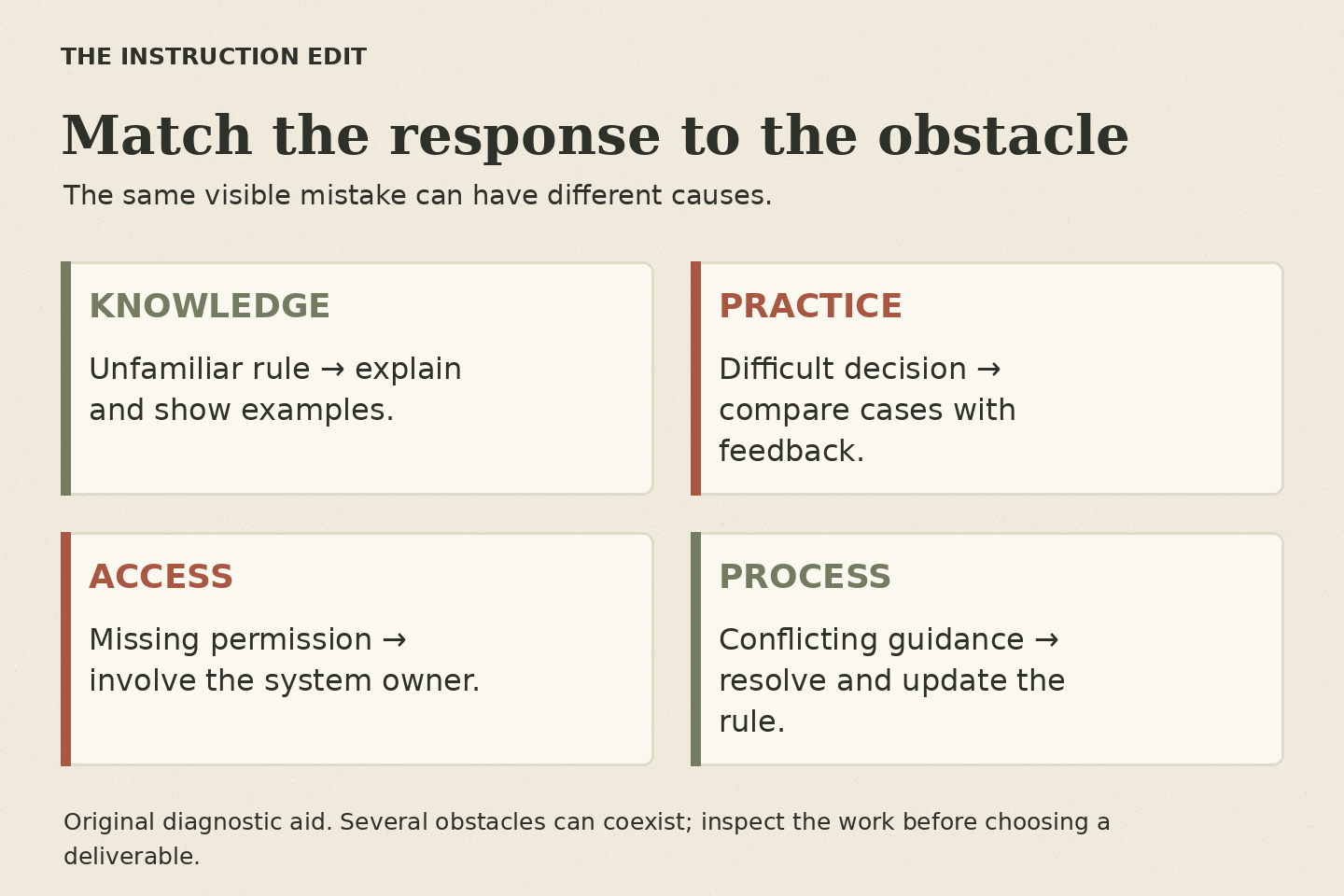
A knowledge problem: a new employee does not know which cases belong in the delivery-support queue. A short explanation and examples may help.
A practice problem: the employee knows the categories but struggles when a ticket mentions several issues. They may need realistic cases, discussion, and feedback.
An access problem: the correct queue does not appear in the employee’s account. More explanation will not grant a permission. The system owner needs to resolve access.
A process problem: the handbook says one thing while the team’s pinned message says another. The responsible owner needs to establish and communicate the current instruction.
These can coexist. One team may need clearer guidance and a permissions fix. The goal is to identify the combination rather than force every symptom into a course outline.
Watch someone work through an example
Ask an appropriate employee to show how they would handle a cleared or fictional ticket. Invite them to explain where they look, what they notice, and what makes them uncertain.
Do not turn this into a surprise performance test. Explain that you are examining the task and its support. The organization should decide what information can be used and who may see it.
In our fictional example, the employee correctly explains the routing rule. Then they open an old reference sheet because it is the only one linked from the ticketing system. The newer sheet is stored in a folder they rarely use.
That observation changes the brief. A course may be unnecessary for this particular issue. The immediate work is to confirm the current rule, make the approved guide findable, and remove misleading routes under the organization’s process.
Choose a response that matches the obstacle
If the issue is remembering a rarely used category, a concise reference at the point of work may be more appropriate than a module. If people cannot distinguish similar cases, practice may be useful. If the rule itself is unsettled, get it resolved before writing instructional content.
For the fictional team, I would propose a task-based job aid titled ‘Route a damaged-delivery ticket.’ It would include the required information, the routing destination, the exception contact, and an owner and review date.
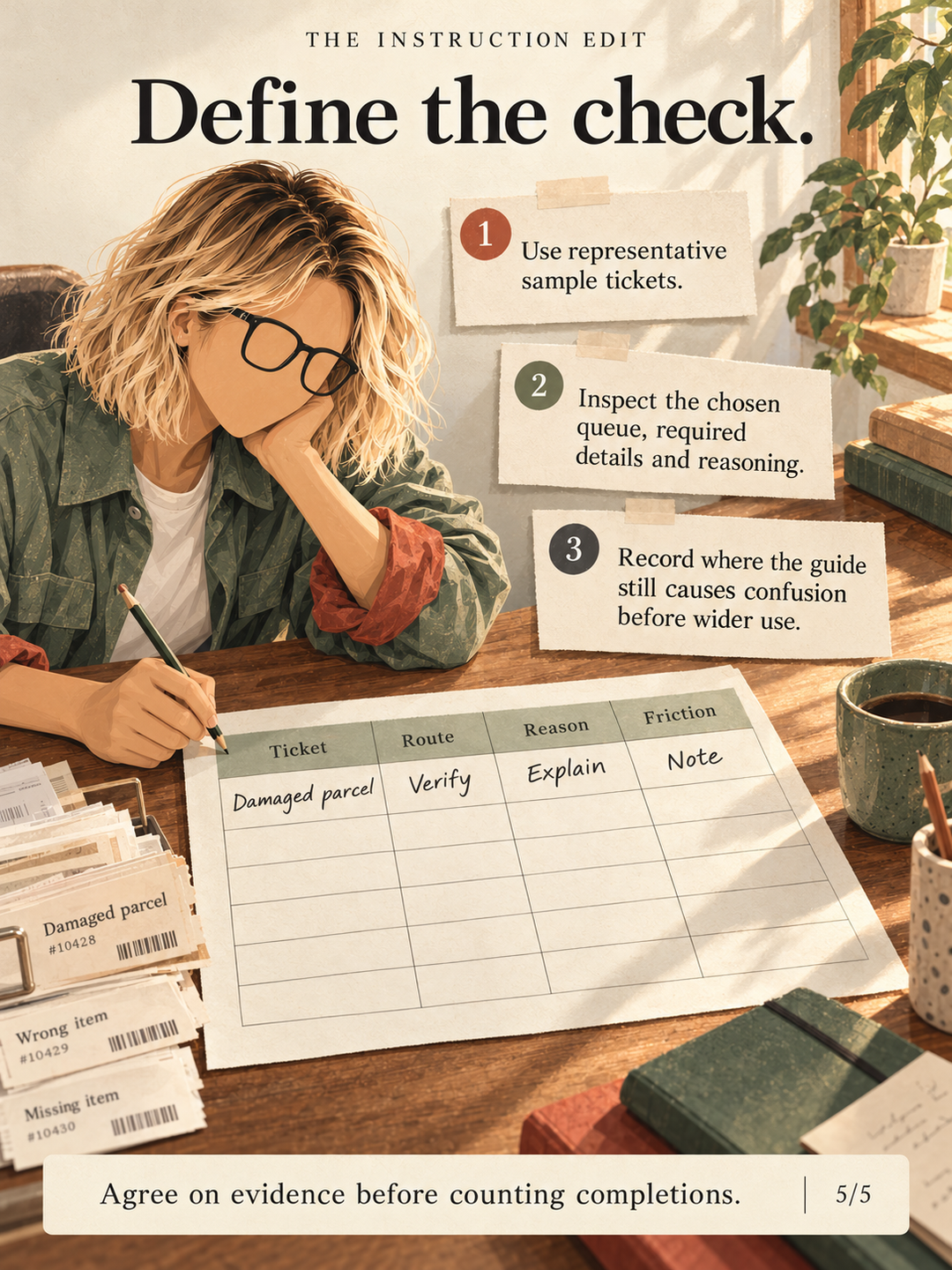
I would then ask someone to locate it and use it with a sample ticket. Can they find the guide? Does it answer the actual question? Does the account permit the correct action?
A job aid is a proposed response, not a magic fix. Testing may reveal that the interface labels still confuse people or that the exception rule needs clarification.
Five questions for the first conversation
What should the person do after this project? Name an observable task instead of an abstract topic.
What are they doing now? Ask for examples that show the gap without exposing unnecessary personal information.
Can they do the task with clear instructions and the right tools? If so, investigate access, findability, or competing demands.
Which parts require explanation or practice? Separate the unfamiliar decision from details that can remain available in a reference.
What would count as an improvement? Decide what evidence to inspect and who can help interpret it.
These questions do not require a large research project every time. A small, low-risk request may need a short conversation and a few examples. A complex or high-stakes task needs a more substantial investigation.
Write the revised brief
Instead of ‘Build a 20-minute refresher course,’ the brief might become: ‘Confirm the routing rule with the process owner, replace the outdated reference link, produce a one-page guide, and test it against three representative tickets.’
If that test exposes a genuine skill gap, add focused practice. Keep the reason for each deliverable visible.
This is where instructional design begins for me: understanding the work well enough to choose what to make. Sometimes that is a course. Sometimes the most useful thing is a clearer page and one corrected link.
Before you request another module, write down the task and the obstacle. The format can wait until those are clear.
Sources
1. CDC, Quality Training Standards, needs assessment section. Public-health training guidance; the support-team diagnosis and job-aid example are original fictional applications.