
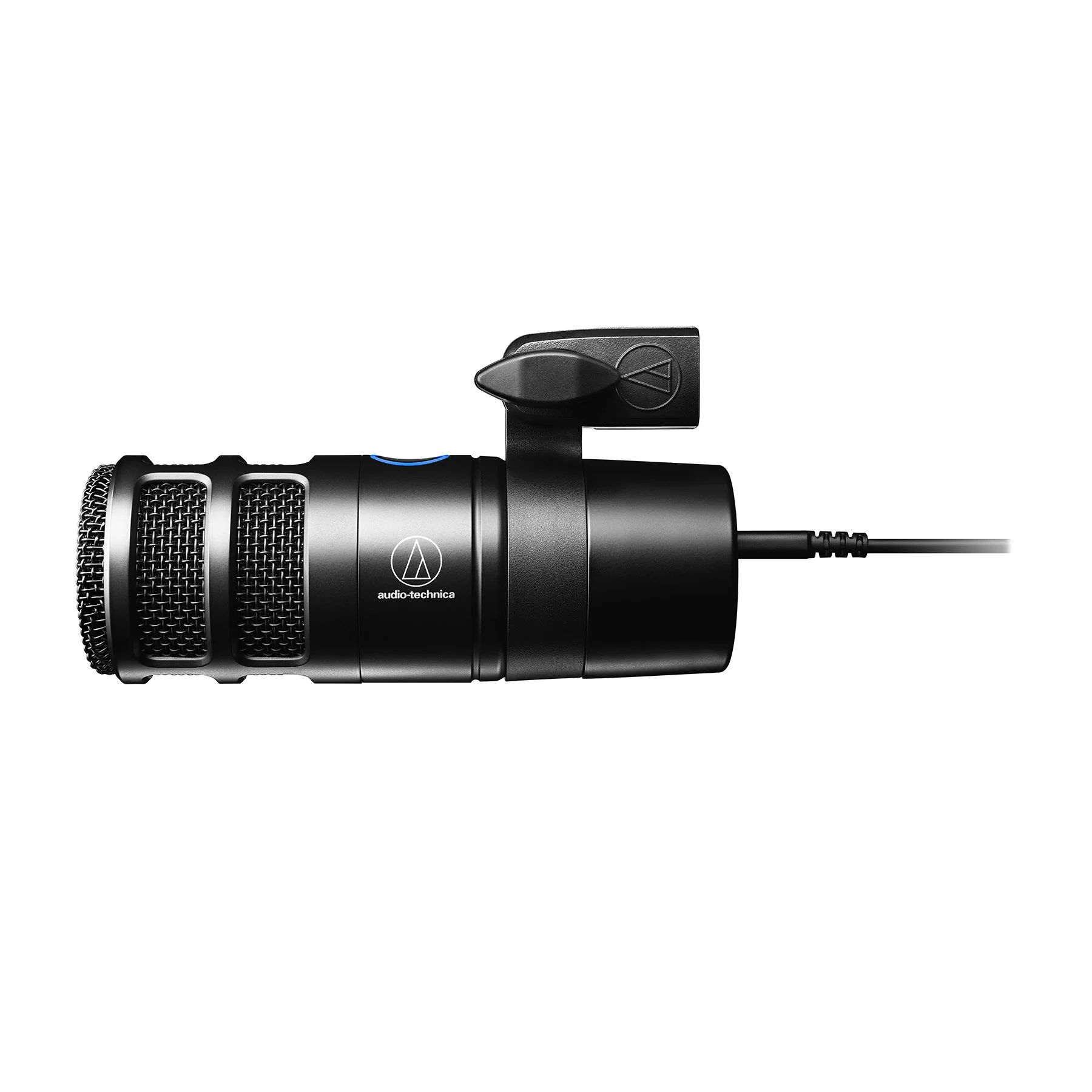
Audio-Technica AT2040USB. Product photo courtesy of Audio-Technica / Clyne Media, supplied in its press kit for editorial coverage. Unmodified; no endorsement implied.
A new microphone is worth considering when you repeatedly record short explanations and your existing equipment produces a specific, persistent problem. It is not the first remedy for a long script, a noisy location or a recording nobody can navigate. Start with the phone or headset you already own, in the quietest suitable space available.
For a teacher or learning designer who records at a computer, a USB microphone can make a consistent setup practical. For someone who moves around a demonstration area, a desk microphone may be the wrong shape of solution. Choose for the work, not for the equipment in a favorite creator's background.
Run a no purchase recording rehearsal
Record the same short explanation twice with existing equipment. In the first take, use your normal arrangement. In the second, reduce avoidable room noise, place the microphone appropriately and avoid typing while speaking. Keep the content and playback device the same so you are comparing something interpretable.
Listen for missing words, distortion, changing loudness and distracting sounds. Also ask whether the explanation gets to the decision learners need to make. If moving the device or rewriting the script solves the problem, stop shopping. An expensive recording of an unnecessary introduction remains unnecessary.
Prepare the essential explanation in text as well. For a narrated diagram, describe the relationships that are not obvious from the image. A transcript and a screenshot serve different purposes; neither automatically substitutes for the other.
A specific USB candidate for fixed-position lessons
This article contains affiliate links. The Instruction Edit may earn a commission if you purchase through them. As an Amazon Associate I earn from qualifying purchases.
The Audio-Technica AT2040USB on Amazon, affiliate link, is a candidate for repeated computer-based explanations when you can maintain a consistent speaking position. Check the complete model name: AT2040USB has USB output; the similar-looking AT2040 is a different XLR model. Do not buy by the product photograph alone.
Audio-Technica's product documentation identifies a dynamic hypercardioid microphone with USB-C output, direct headphone monitoring, a monitor-mix dial and touch mute. It includes a mounting clamp, threaded adapter, USB-C-to-USB-A cable and USB-A-to-USB-C adapter—not a desk stand. Include a suitable stand or boom in the setup decision. Its documented controls may make recording easier to manage; they do not establish how it sounds in your room.
Hypercardioid describes a directional pickup pattern, not a promise that background noise disappears. The practical question is whether you can keep the microphone facing the speaker without blocking the screen, keyboard or demonstration. No sound test or classroom performance ranking is claimed here.
Setup: AT2040USB at a computer
Useful when: You repeatedly record from one position and want direct headphone monitoring
Constraint to check: Separate stand or boom, fixed position, USB recognition and app permissions
Setup: Owned headset
Useful when: You need the microphone to move with your head while reading or annotating
Constraint to check: Wearing comfort, cable noise and correct input selection
Setup: Owned phone
Useful when: You need occasional portable recordings
Constraint to check: Stable distance, notifications, approved file transfer and storage
Setup: Clip-on microphone category
Useful when: You must move during a physical demonstration
Constraint to check: Exact device connector, clothing noise and a tested recording route; do not assume any lavalier fits
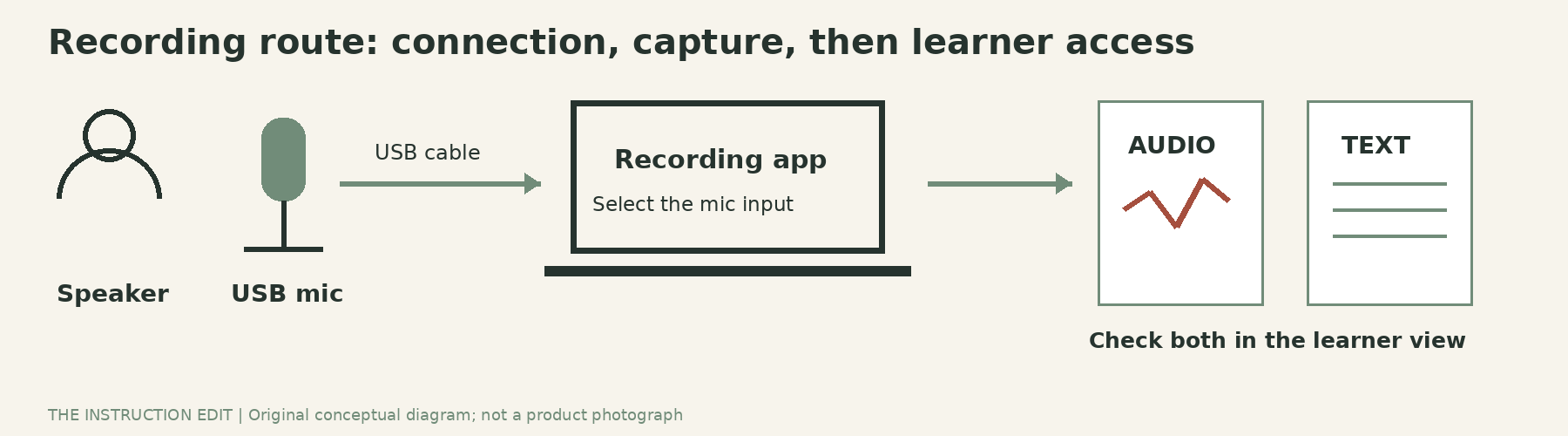
Placement and levels come before extra accessories
The AT2040USB user manual separates headphone volume from microphone input level. Turning the headphones up does not fix a quiet recording. Position the front of the microphone toward the speaker, and make a short test before recording the complete explanation.
Use those instructions to establish a repeatable position, then adjust the input level in the operating system or recording application. Make a short sample at your ordinary speaking volume. If the level overloads, lower the input rather than relying on editing to repair distorted speech later. Listen to the saved file, not only the live monitor.
The manual's operating-system screenshots are dated. Treat its connection and control descriptions as product information, but use current approved settings for your computer. On a managed device, confirm microphone permissions and the recording application's access with IT before purchasing.
Do not buy an audio interface for this microphone: AT2040USB connects by USB and has no XLR output. The manual advises a direct computer connection rather than a USB hub or extension. If your desk arrangement cannot support that route, resolve it before buying—not after adding several adapters.
An illustrative reusable lesson plan
Suppose the resource is a two-minute explanation of why an apparent percentage increase can mislead when the starting amount is hidden. This is an author-created example, not a tested recording case.
Prepare one slide with two fictional starting amounts and the same percentage change. Write a three-part script: identify the base, calculate the change, compare what the percentage does and does not tell us. Keep names, deadlines and course-specific announcements out of the reusable explanation. Put those in the surrounding lesson instead.
Record a brief first take. Leave a pause where learners should calculate before hearing the explanation. If a phrase is wrong, pause and repeat the complete sentence so the edit has a clear boundary. Save the script alongside the recording, then correct it to match the final explanation.
The acceptance test is simple: can a learner identify the relevant base, follow the calculation and access the explanation without depending on sound alone? A rich radio voice is not on the checklist.
Make the file easy to reuse
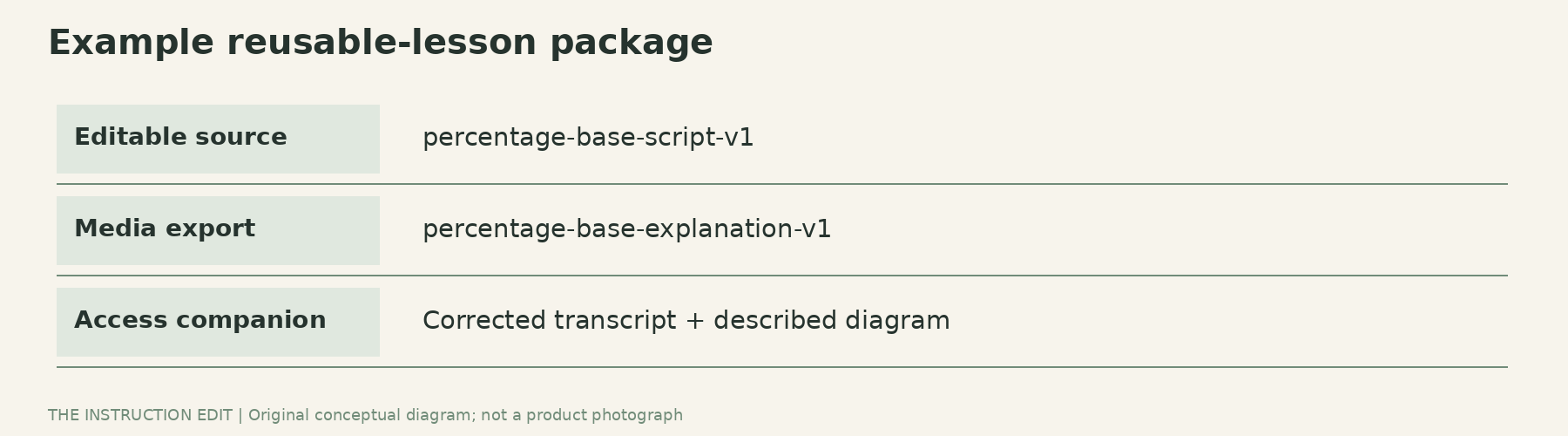
Use a descriptive filename such as percentage-base-comparison-v1, rather than final-final-new. Keep an editable source and an export in the institution's approved storage location. Record the date and any information likely to become outdated. This is a proposed organization routine, not a claim about a particular software package.
Check the uploaded result from a learner view. Verify captions or transcript accuracy, especially numbers, symbols and subject vocabulary. Confirm that a download or replay works through the actual learning platform. Compression and permissions can create problems that were absent in the local recording.
Who should not buy
Skip this microphone if your owned headset already gives intelligible results, you cannot position a desk microphone consistently, or you need a self-contained recorder rather than a computer accessory. Also pause if the real constraint is recording permission, inaccessible distribution or a script that needs redesign.
For repeated fixed-position lessons, AT2040USB offers documented monitoring and mute controls worth considering after the no-purchase rehearsal. Pause if the extra stand, desk space or connection route is impractical. A headset can be the better tool when you turn between screens or move while explaining. Buy the arrangement that addresses your actual failure, not the more imposing microphone.
Sources and selection basis
This is a documentation-based buying guide, not a firsthand review. The manufacturer product page, actual user manual and exact Amazon identity were checked on 25 October 2026. No price, stock, seller quality, measured noise rejection or learning effect is asserted.
