
Before buying a headset for audio feedback, record a short comment with the headset or microphone you already own. If the learner can hear it clearly, find the relevant part of their work and make the intended revision, you may not need new equipment. Concise written feedback is another valid baseline, especially when it is easier to scan and revisit.
A dedicated wired headset is worth considering when you regularly record individual comments and your present setup makes speech inconsistent or awkward to capture. It will not make a vague comment actionable. Nor will a clear recording help a learner who cannot comfortably listen to it.
Decide what the audio is for
Audio can carry an explanation of how you interpreted a sentence or why one step in a process needs attention. Use it where speaking genuinely helps you express that reasoning. For a correction that takes six written words, a recording may simply make the learner press play to discover six words.
The EEF's Teacher Feedback to Improve Pupil Learning guidance, published in 2021 for learners aged 5 to 18, focuses on the principles of useful feedback rather than treating written or verbal delivery as the central decision. It also notes that feedback takes time and can be unhelpful when done badly. That guidance does not establish a learning advantage for a particular microphone or headset.
Write the learner's next action before recording. If you cannot identify the action, resolve that first. Then decide whether audio adds something the written instruction cannot easily carry.
A wired USB candidate
This article contains affiliate links. The Instruction Edit may earn a commission if you purchase through them. As an Amazon Associate I earn from qualifying purchases.
The Logitech H390 black USB-A headset on Amazon, affiliate link, is a plausible option for an educator recording at a computer. The linked model is 981-000014 with USB-A. Logitech also sells USB-C versions; check the connector on the selected item rather than assuming all H390 listings are identical.

Logitech H390 (black USB-A, 981-000014). Product image source: Logitech.
Logitech's published specifications describe inline volume and microphone-mute controls, padded leatherette earpads and a 1.9-metre cable. The manufacturer describes the microphone as noise-cancelling. That label is not proof that it will remove nearby conversations, keyboard noise or a particular room's echo. No sound-quality or comfort test is claimed here.
For this task, the useful design feature is a microphone held near the speaker while the speaker reads and comments on a screen. The trade-off is wearing an on-ear headset during the marking session and managing its cable. A desktop microphone may suit someone who dislikes that fit, but it is a different setup problem, not automatically an upgrade.
Compare the alternatives honestly
| Option | Useful for | Watch for |
|---|---|---|
| H390 USB-A | Regular computer-based comments with inline mute and a boom microphone | Correct port; fit over a full session; cable; application input selection |
| Owned headset or earbuds with mic | Testing whether audio feedback is useful without another purchase | Cable movement; microphone position; whether the computer is actually using that mic |
| Built-in laptop microphone | Occasional comments in a suitable room | Distance from speaker; fan or typing noise; changing levels as you move |
| Written comment | Fast scanning, exact references and a durable action list | Tone or complex reasoning may need a short additional explanation |
A headset can be convenient without sounding like a studio recording. The acceptance threshold is intelligible speech at a sensible listening level, with no distracting faults that obscure the message. Buying for a podcast-style sound is unnecessary if the job is to explain a revision clearly.
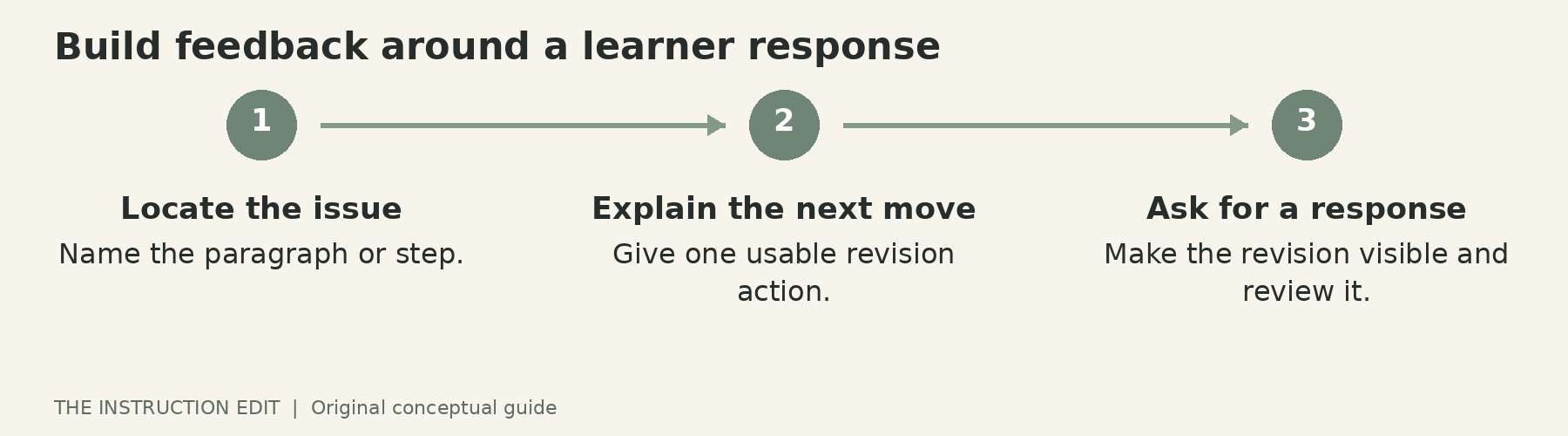
Build feedback around a learner response. Original conceptual illustration.
Use an audio and text pair
Here is an illustrative feedback package for a fictional student paragraph about an environmental policy. It is not drawn from student records or a tested intervention.
Written action: In paragraph two, explain how the quoted evidence supports your claim. Add one sentence linking the evidence to the specific effect you are arguing for.
Possible spoken explanation: Your evidence names the change in transport use, but the paragraph moves directly to the conclusion. Explain the connection for a reader who does not already agree with you. Then check whether the evidence supports the size of the claim you have made.
Learner response: Highlight the added sentence and write a brief note explaining what it contributes.
The text carries the location and action. The recording can elaborate the reasoning. If the spoken explanation contains essential detail absent from the text, include that detail in the text equivalent too. A token summary that omits the actual instruction is not an equivalent.
This pairing also gives you a practical check on length. If the recording wanders beyond the next useful revision, rerecord a shorter version or use a written comment. You do not need to narrate every possible improvement at once.
Check the whole recording route
Plug in the headset before opening the recording tool. Select the intended microphone in both the operating system and the application. Logitech's setup guide explicitly includes input and output selection and mute checks in its troubleshooting guidance. Its screenshots and menu names reflect older operating systems, so use the current equivalent settings rather than following obsolete labels literally.
Record a short sample that includes a pause, a normal speaking sentence and a little typing. Play it back through another available listening device. The purpose is to catch the wrong input, clipping, missing words or distracting noise, not to award an invented sound score.
Check that the mute control behaves as expected in your recording workflow. Do not assume an inline headphone volume control changes the microphone recording level. If live monitoring of your own voice is important, verify that function separately in the device and application documentation; do not infer it from the presence of a headset.
Then open the uploaded feedback from a learner view. Can the intended learner access it without a new account? Does the text appear next to the recording? Is the file attached to the correct work? Use the institution's approved storage and privacy practices, particularly for identifiable student work.
Fit and access are purchase criteria
A short product description cannot establish all-session comfort. If possible, borrow a comparable on-ear headset and rehearse a realistic feedback session. Consider glasses, preferred ear coverage and whether the cable reaches without pulling. An uncomfortable headset that stays in a drawer is not an economical purchase.
Keep audio optional where a learner needs or prefers a usable text route. Hearing access, language processing, available headphones and a quiet place to listen can all affect whether a recording is useful. Follow individual accommodations and institutional requirements rather than expecting one format to work for everyone.
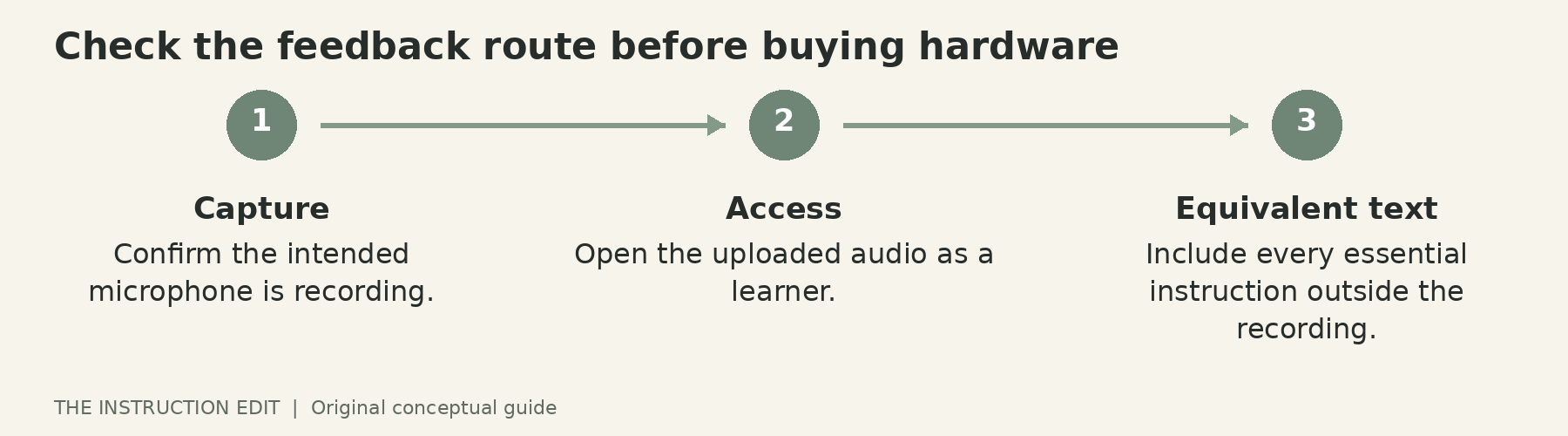
Check the feedback route before buying hardware. Original conceptual illustration.
Who should not buy
Skip the H390 if your existing headset already produces clear comments, your computer lacks a compatible connection, or wearing an on-ear headset is unsuitable. Also skip the purchase if the real problem is that learners are not given time or a clear task for using feedback.
For regular computer-based recording, this model is a reasonable documented option to consider. The immediate next step is smaller: create one audio-plus-text comment, check access and ask the learner to act on it. Let that workflow reveal whether new hardware is needed.
Sources and selection basis
This is a research-based buying guide, not a firsthand review. Product identity and sources were checked on 25 October 2026. See Logitech specifications, the H390 setup guide and EEF feedback guidance. No current stock, price or seller claim is made.
