
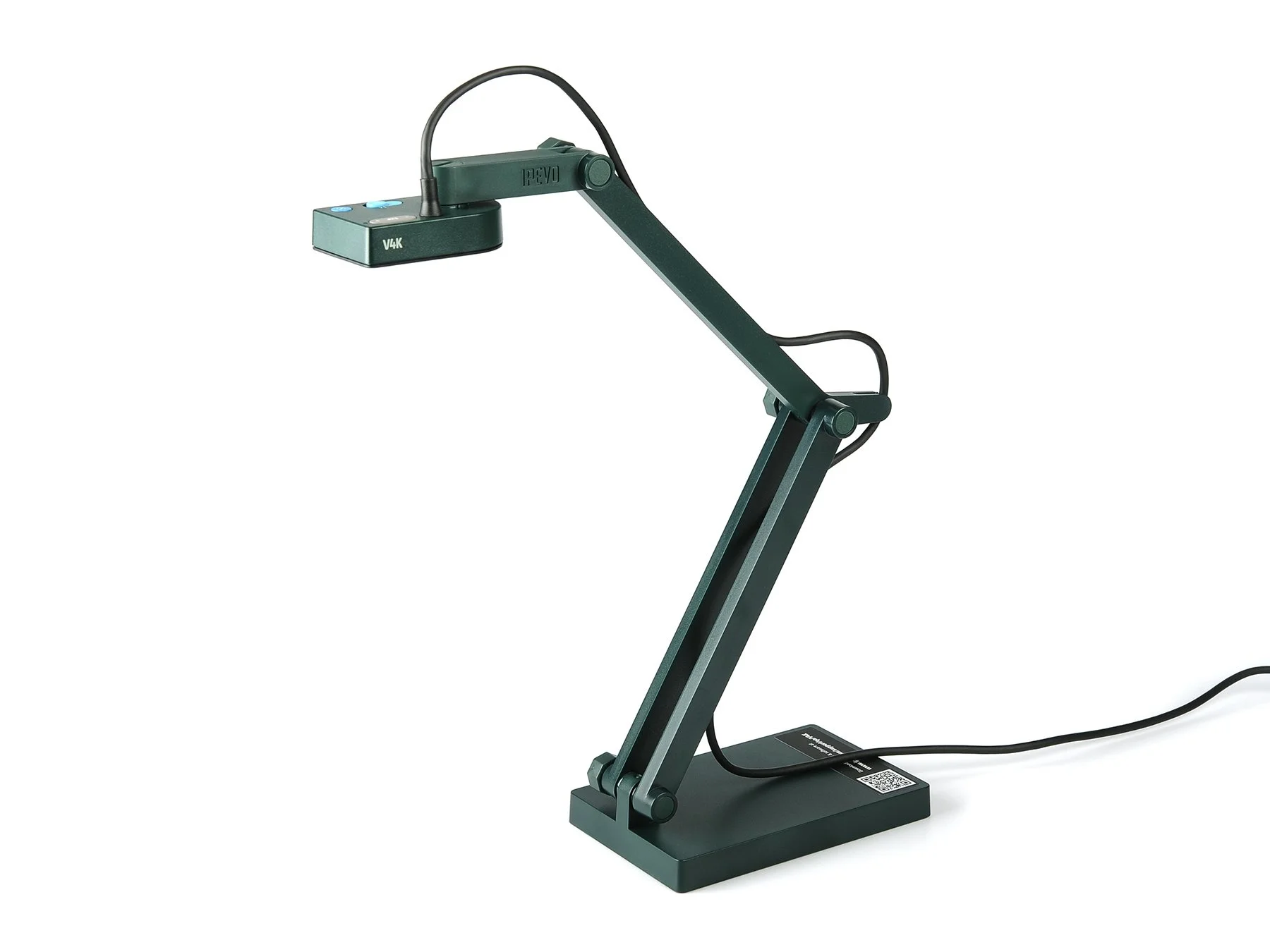
Original IPEVO V4K USB document camera. Product photography: IPEVO, supplied via its media kit. Unmodified image; Attribution-ShareAlike under IPEVO’s website terms. No endorsement implied.
A document camera is worth considering when the important part of a lesson happens between the first mark and the finished page. If learners only need to inspect a completed diagram, an existing phone photograph or a prepared slide may do the job with less equipment. Start there.
The buying question is whether live close-up work will reveal something learners otherwise miss: where a measurement begins, why a denominator changes, how a fold lines up, or which sentence a writer revises. A larger picture of an unexplained answer is still an unexplained answer.
Begin with a no purchase rehearsal
Use equipment already available to record one minute of the task. An owned phone held securely above paper can test the idea, provided school policy permits its use and the setup does not put the device or learners at risk. Turn off notifications and keep names, student records and unrelated screens out of view. For a process with only three meaningful stages, take three photographs instead.
Watch the rehearsal on the kind of screen a learner will actually use. Can you read the smallest necessary label? Does your hand cover the decision? Does the camera refocus whenever you point? If a prepared image is clearer and the learner loses nothing important, keep the prepared image.
The EEF's guidance on digital technology frames technology around the teaching and learning it supports. It does not establish that buying a particular camera improves attainment. Treat the device as a way to make a planned explanation visible.
Where the IPEVO V4K fits
This article contains affiliate links. If you purchase through them, The Instruction Edit may earn a commission. As an Amazon Associate I earn from qualifying purchases.
The IPEVO V4K 8MP USB Document Camera on Amazon, affiliate link, is a specific option for a teacher who already presents through a computer. This is the original V4K, part 5-880-4-01-00, not V4K ULTRA or V4K PRO. Those similar names are a reason to check the selected listing carefully.
IPEVO specifies an 8-megapixel camera, a maximum shooting area of 13.46 by 10.04 inches, autofocus and a USB UVC connection. Its published video figures distinguish up to 30 frames per second at full HD from up to 15 at the highest 3264 by 2448 resolution. More pixels therefore do not automatically mean the most useful live view. These are manufacturer specifications, not results from a classroom test.
The practical appeal is the adjustable stand and the ability to put ordinary paper or an object under a camera that stays on the desk. The limitation is the computer-based workflow. Do not buy this USB model expecting to connect its cable directly to an HDMI-only projector. Count the laptop, available port, display connection and application in the setup, not just the camera.
Compare the workflow before comparing the picture
Option: IPEVO V4K USB
Useful when: You frequently annotate paper or show small physical processes through a computer
Constraint to check: USB and application compatibility; working area; camera positioning; actual shared-screen legibility
Option: Owned phone and secure stand
Useful when: You need an occasional overhead view and can use the phone under local policy
Constraint to check: Stable mounting; battery; notifications; connection method; glare and focus changes
Option: Prepared photographs or slides
Useful when: You can identify the important stages before the lesson
Constraint to check: Less scope to respond live; prepare intermediate steps rather than only the final answer
A phone is not automatically the inferior option. It may already produce a usable image. Its inconvenience can lie in mounting it, joining a call without audio feedback, and retrieving recordings. A dedicated document camera is easier to justify when those repeated steps are the problem. An occasional demonstration rarely needs a permanent equipment solution.
A worked example with a visible decision
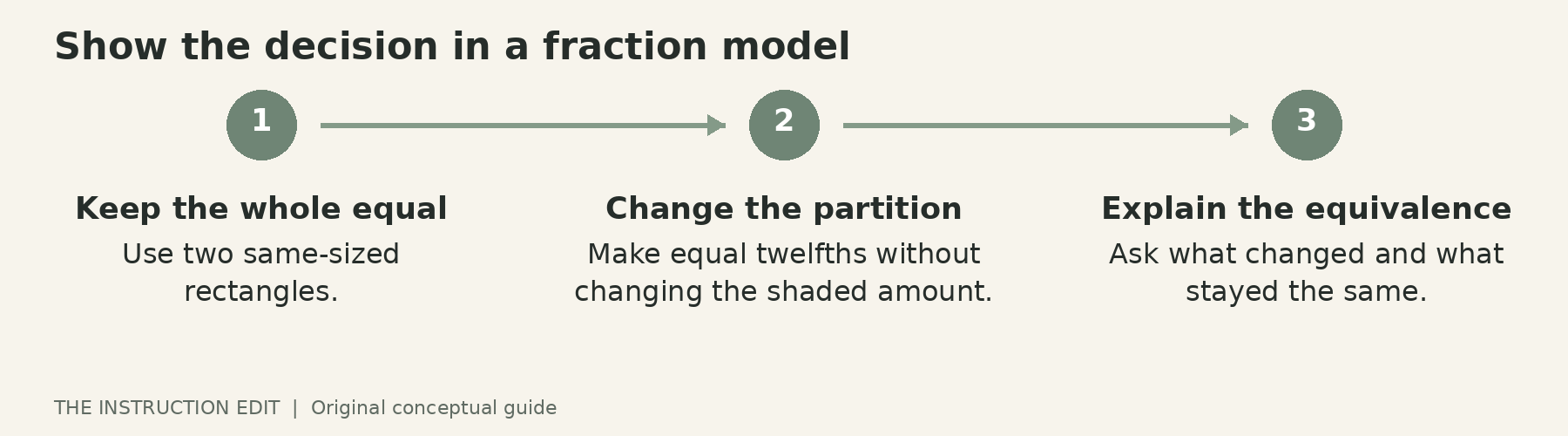
Consider this illustrative middle-school task: explain why three quarters and two thirds cannot be added by adding both numerators and denominators. This is a proposed lesson sequence, not a tested classroom case.
First, place two equal-sized paper rectangles in the view. Shade three quarters of one and two thirds of the other. Pause before marking further. Ask what must be true of the pieces before they can be counted together.
Next, add the lines that make twelfths. Keep the camera still and narrate the choice of equal-sized pieces. The value of the live view is that learners see the partitioning change while the shaded quantity stays the same. Finish by asking them to explain what changed and what did not.
Finally, remove one model and ask learners to produce the next representation themselves. Save a still image of the intermediate stage as well as the final one. Learners who need more time can revisit the relevant step without searching a long recording. A clear written explanation should accompany any recording that carries essential spoken information.
Before buying, run this exact sequence with your existing setup. If the lines disappear on a smaller screen, try thicker marks, better lighting or a tighter crop. None requires a new camera.
Focus and recording deserve their own check
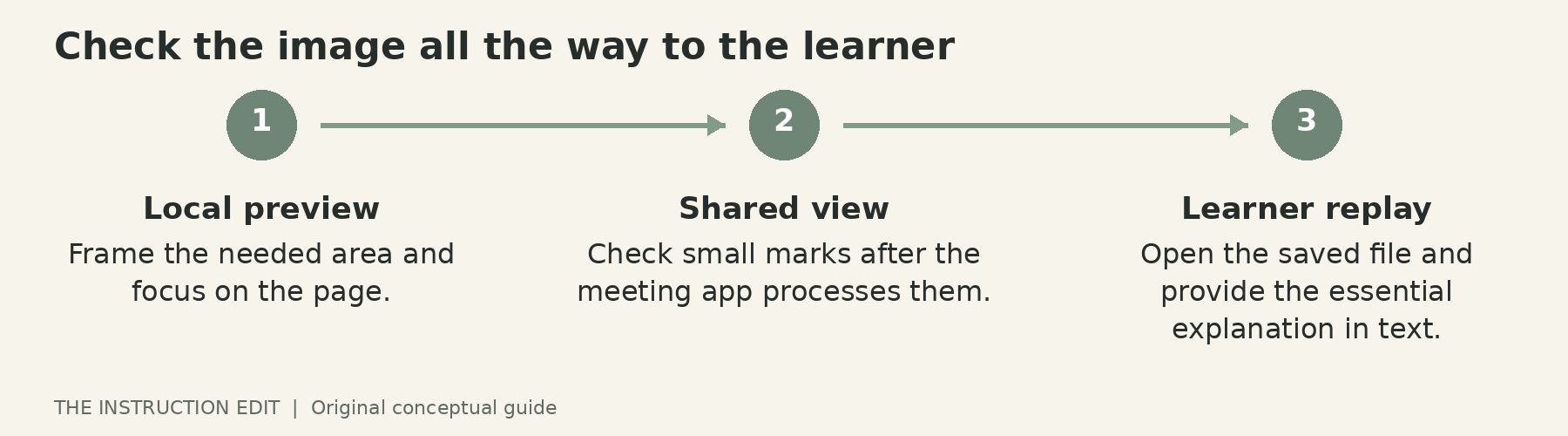
The V4K quick-start guide describes single and continuous autofocus settings, a focus button and exposure adjustment. For a stationary page, try focusing once before writing. For objects at different heights, consider continuous focus. The right choice depends on whether changing focus helps reveal the task or interrupts it.
The same guide describes the camera as a UVC video source and identifies IPEVO Visualizer as one compatible software option. Confirm the recording and sharing route on your managed computer before ordering. An application that displays a camera does not necessarily save a recording in the format your learning platform accepts.
Keep a short acceptance checklist: the needed area fits; the smallest essential text is readable; your hand can work without blocking the view; the correct microphone is selected; and the recording opens for a learner. Test after the material has passed through the actual meeting or learning platform, not only in the local preview.
Who should not buy
Skip this purchase if your lessons mainly show finished slides, your existing camera already meets the task, or you need a standalone HDMI connection. Also pause if you cannot obtain permission to use the required software or safely position the camera. Borrowing a school device for a rehearsal is a better next step than buying around an unresolved restriction.
For regular computer-based demonstrations, the V4K is a plausible shortlist option because its documented controls match the work. The decision still belongs to the lesson: identify one step learners need to see, rehearse it, and purchase only if the present setup prevents that step from being visible.
Sources and selection basis
This is a research-based buying guide using manufacturer documentation, not a firsthand product review. Specifications and the exact Amazon product identity were checked on 25 October 2026. Seller, stock and price are not asserted. See IPEVO specifications, V4K overview, the quick-start guide and EEF technology guidance.
